
Subjects
Create the subjects your school teaches, give each a code, and switch old ones off without losing their history.
Checked on the ShuleOS demo school
Who: School admin 4 min read
A subject is something the school teaches, such as Mathematics or Kiswahili. You create subjects once, then attach them to the classes that take them (on each class's Subjects tab).
Create a subject
-
Open Academic Management → Subjects.

-
Click New subject.
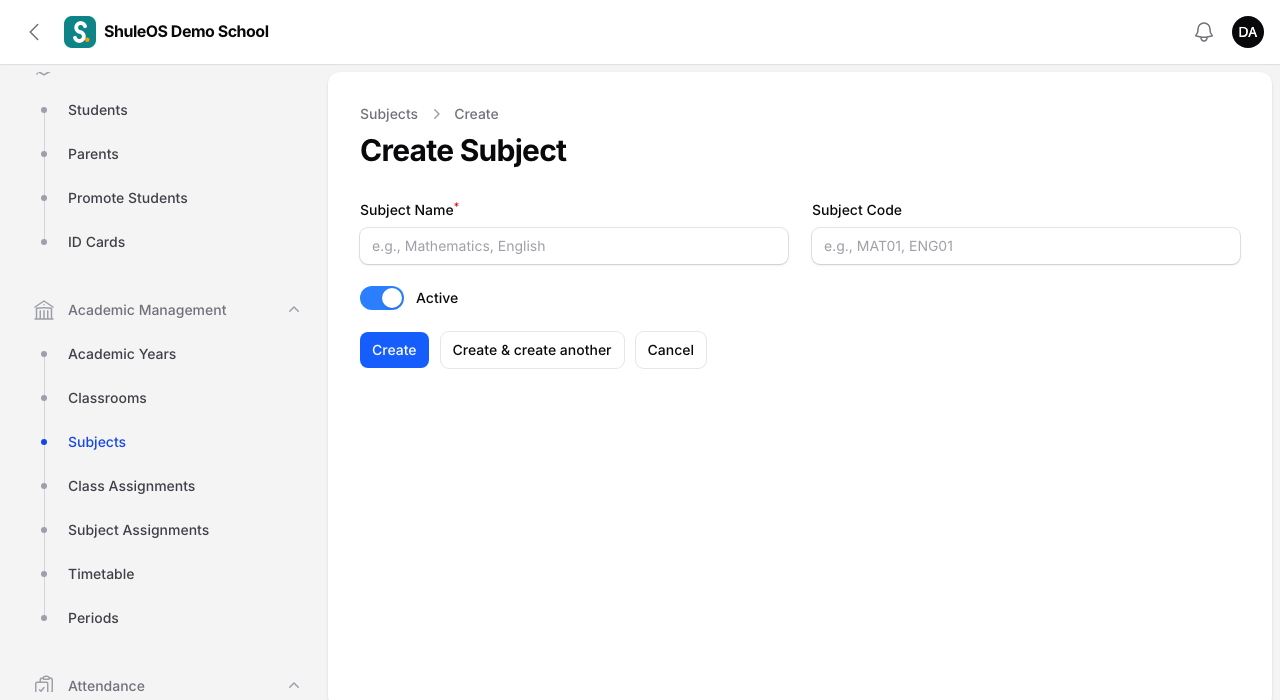
| Field | What to enter |
|---|---|
| Subject Name | For example Mathematics. |
| Subject Code | A short code such as MAT. It must be different from every other subject's code ("Another subject of this school already has this code"). |
| Active | On by default. Switch it off for a subject the school no longer teaches: it stops appearing in new work but its old marks stay. |
- Click Create.
Put the subject in a class
Creating a subject does not put it in any class. Open the class (Academic Management → Classrooms), click Edit, open the Subjects tab and use Attach. See Classes and streams.
Import many subjects at once
Click Import subjects. Download the Blank template or the Sample with examples, fill in one row per subject, and upload it.

- The columns are Subject, Code, Active and Classes. Separate several classes with a semicolon (
;). The classes must already exist. - A subject with the same name is updated, and classes are added to it, never removed.
- You see the result before anything is saved.
Export and print
Use Export or Print on the list.
If something goes wrong
| What you see | What it means |
|---|---|
| Another subject of this school already has this code | Choose a different code. |
| The subject is missing from marks entry | It is not attached to that class, or it is switched off (Active off). |