
Behaviour criteria and assessing behaviour
Choose what behaviour is rated (punctuality, respect and so on), then rate each student for an exam so it appears on the report card.
Checked on the ShuleOS demo school
Who: School admin, class teachers, exams officer 6 min read
Report cards can show how a student behaved as well as how they scored. You decide what is rated, then rate each student for an exam.
Step 1: Set up the behaviour criteria
-
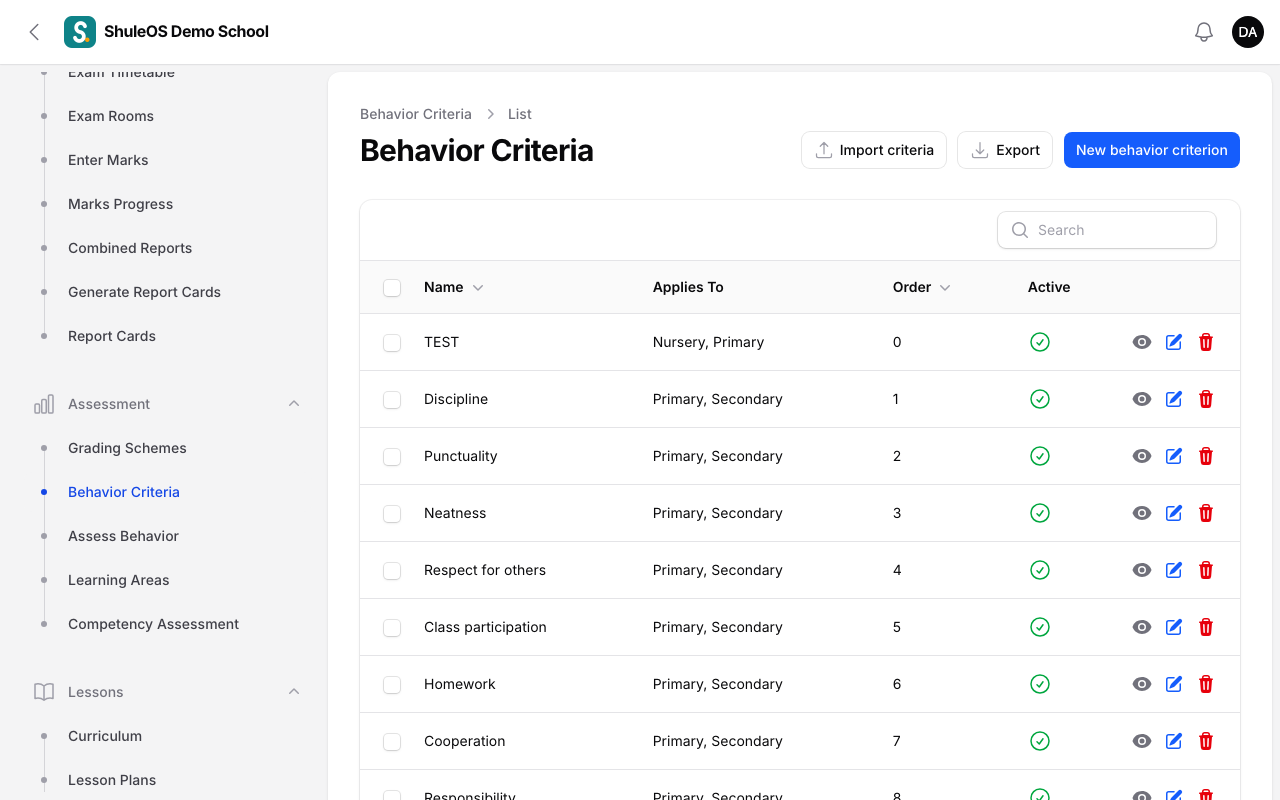
Open Assessment → Behavior Criteria. The list shows each criterion, which classes it applies to, its order and whether it is active.
-
Click New behavior criterion.
| Field | What to enter |
|---|---|
| Criterion Name | For example Punctuality, Respect, Neatness, Participation. |
| Description | Optional. What the criterion means. |
| Applies To | Tick Nursery, Primary and/or Secondary. Leave all unticked to apply the criterion to every class type. |
| Display order | The order it shows in. |
| Active | Switch off a criterion you no longer use. |
- Click Create.
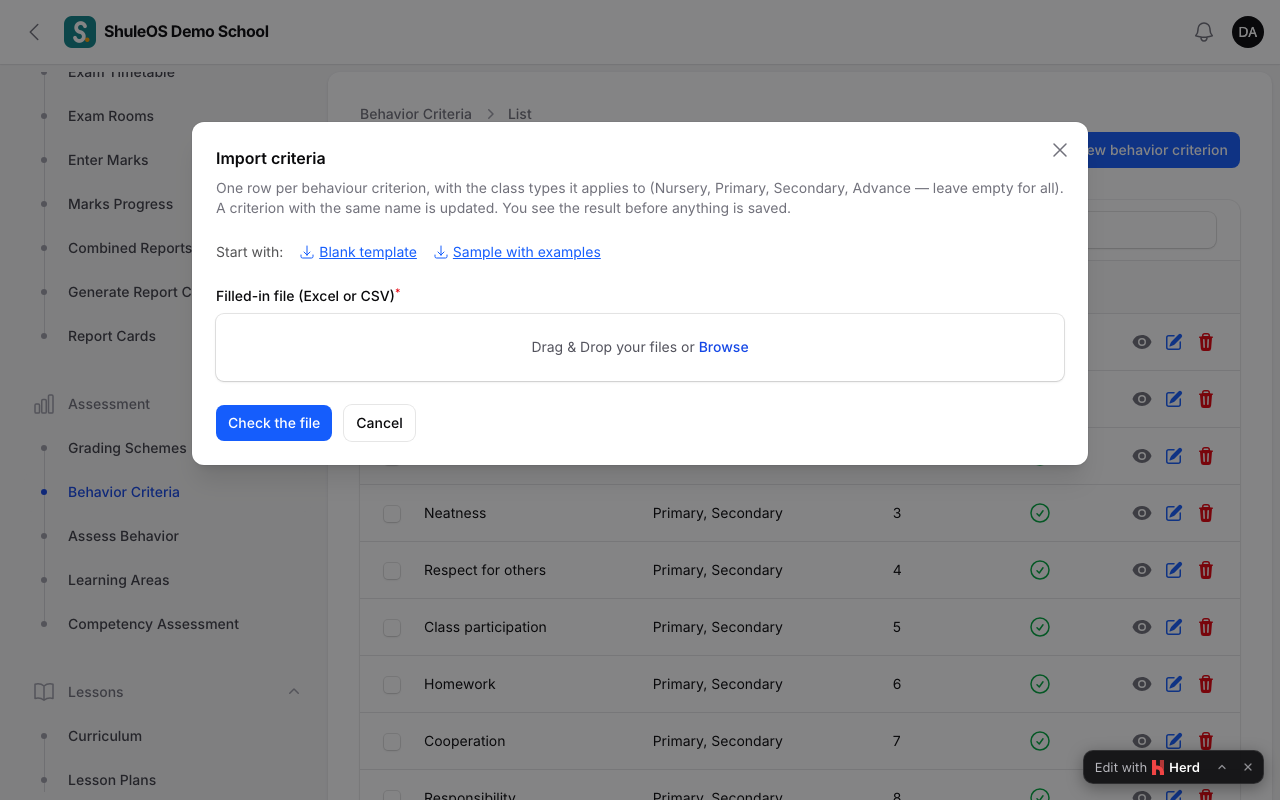
To load many at once, click Import criteria (blank template and sample provided, with a preview).
Step 2: Rate the students
- Open Assessment → Assess Behavior.
- Choose the Exam, then the Class. The behaviour ratings belong to the exam, so each exam has its own.
- A table lists every student, with a column for each criterion that applies to the class. In each cell choose a rating:
| Rating | Label |
|---|---|
| 5 | Excellent |
| 4 | Very Good |
| 3 | Good |
| 2 | Needs Improvement |
| 1 | Below Expectation |
Leave a cell empty ("—") to give no rating.
- Click Save. You see "Behavior ratings saved".
Class teachers can rate their own class from the teacher portal (Behaviour and competencies).
Where it shows
- On the report card, if Behavior assessment is switched on in Settings → Exams and Reports.
- On the student's page, in the Behavior tab.
- In the parent portal, if Behaviour is switched on for parents.
If something goes wrong
| What you see | What it means |
|---|---|
| Select an exam to get started | Choose an exam first. |
| No behavior criteria apply to this class yet. Set some up first. | Create criteria, and check Applies To includes the class's type. |
| This exam is locked | The exam is Completed or Published. An administrator sets it back to Active to allow changes. |
| Behaviour is missing from the report card | The Behavior assessment section is off in Settings, or nothing was rated. |
Related guides
- Generate and release report cardsMake report cards from an exam or a combined report, add comments, check them, mark them ready, release them to parents, and print or download them.
- Learning areas and competency assessmentFor classes assessed by competency (usually nursery), set up learning areas and their skills, then rate each child instead of giving marks.