
Issue stock and take it back
Hand supplies to staff, a class or a department, mark what must come back, and record returns.
An issue records supplies leaving the store: chalk to a teacher, cleaning supplies to the cleaners, footballs to a class. Each issue takes every item out of stock together or not at all, and it never takes out more than you have.
The Issues list
Stock → Issued Stock lists every issue.
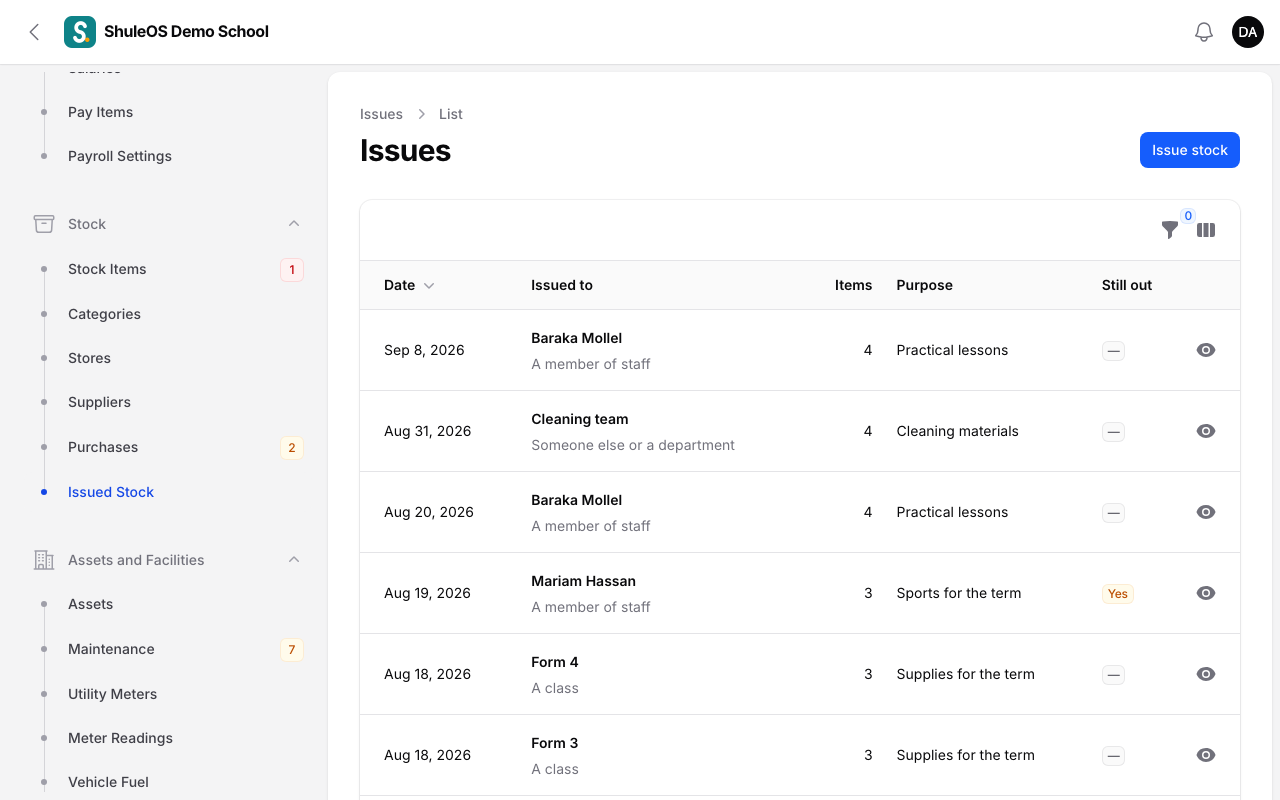
Each row shows the Date, who it was Issued to, the number of Items, the Purpose, and whether anything is Still out (a returnable item that has not come back). Filter by Issued to, or switch on Returnable items still out.
Issue stock
-
Click Issue stock.
-
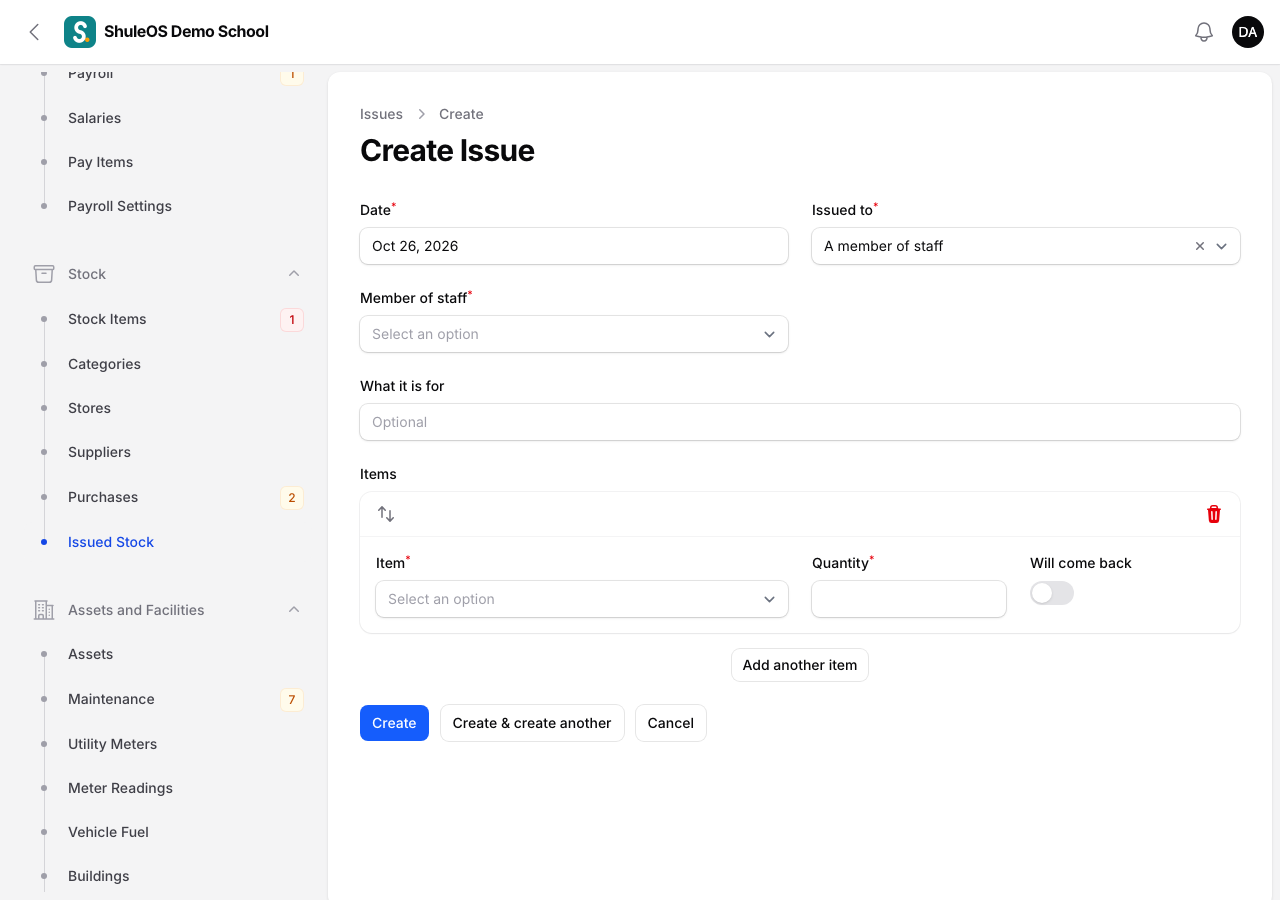
Fill in the form:
| Field | What to enter |
|---|---|
| Date | Required. Not in the future. |
| Issued to | A member of staff, A class or Someone else or a department. |
| Member of staff, Class or Name or department | Shown according to the choice above, and required. |
| What it is for | Optional, for example "Term 3 exams". |
| Items | One row per item: the Item (only items in stock are listed), the Quantity, and Will come back if it is to be returned, such as a football or a microscope. Click Add another item for more rows. |
- Click Create. The quantities come out of stock.
An issue cannot be edited or deleted afterwards, so the history stays honest. If you made a mistake, take back a returnable line, or correct the item with a count.
Take back what was returned
For items marked Will come back:
-
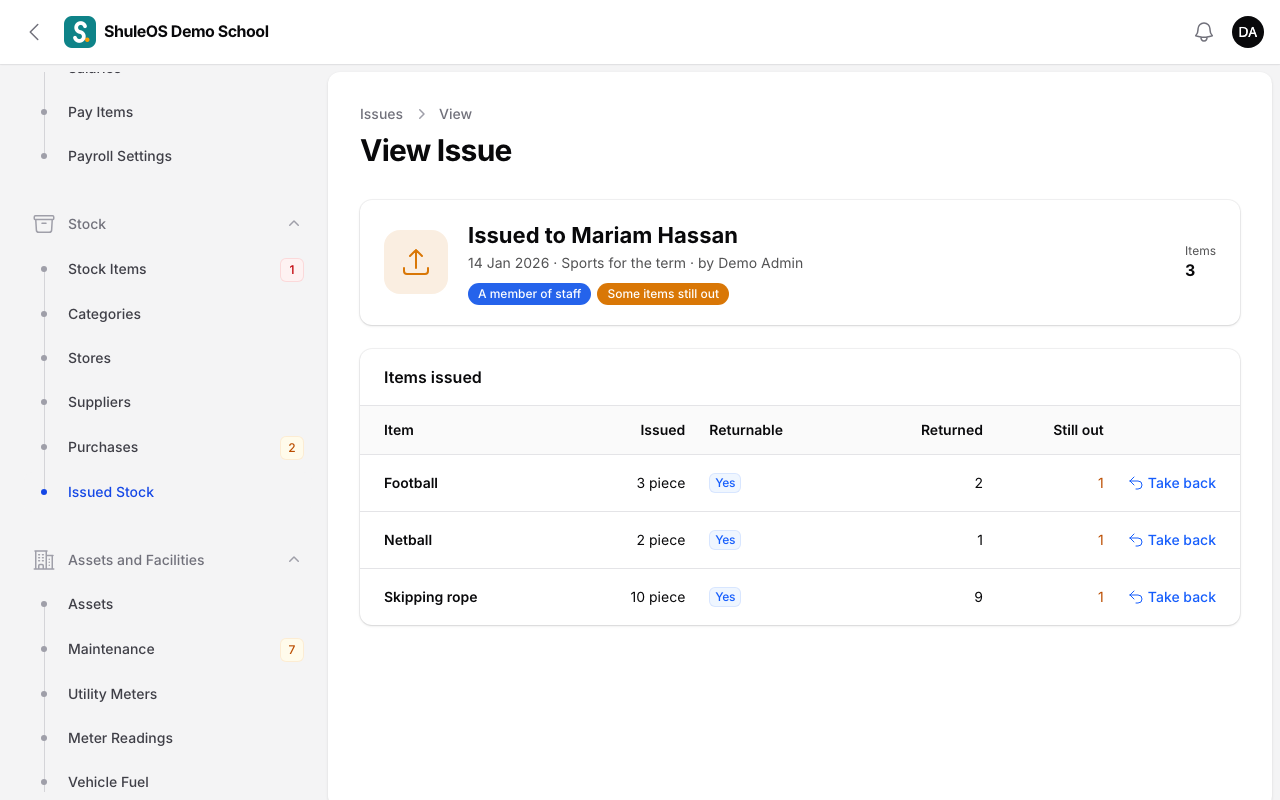
Open the issue. Each line shows Issued, Returnable, Returned and Still out.
-
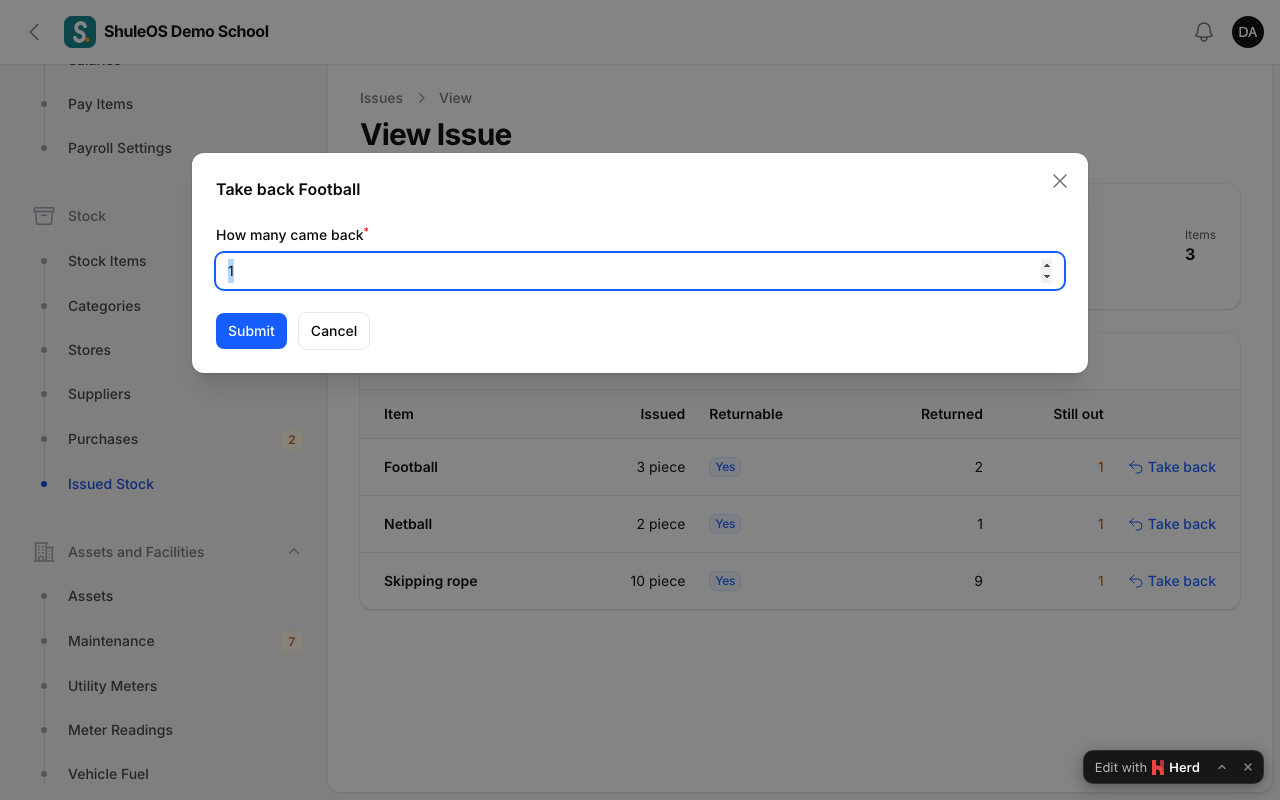
Click Take back on the line, and enter How many came back.
-
Confirm. You see "Stock taken back", and the quantity goes back into stock. You can take back part of what is out, in several goes.
The Still out report lists everything that was lent and has not come back (see Stock reports).
If something goes wrong
| What you see | What it means and what to do |
|---|---|
| An item is missing from the issue form | There is none in stock, or it is inactive. Receive a purchase or count it first. |
| A message that there is not enough stock | You asked for more than you have. Lower the quantity. |
| Take back is missing | The line was not marked returnable, or everything has come back. |