
Assets and facilities setup: buildings, rooms and asset categories
List the school's buildings and rooms and the groups of assets, so every asset, meter and repair can say where it is.
The Assets and Facilities group records what the school owns and the places it owns them in. Before you list assets, set up the three short lists they use: buildings, rooms and asset categories.
Buildings
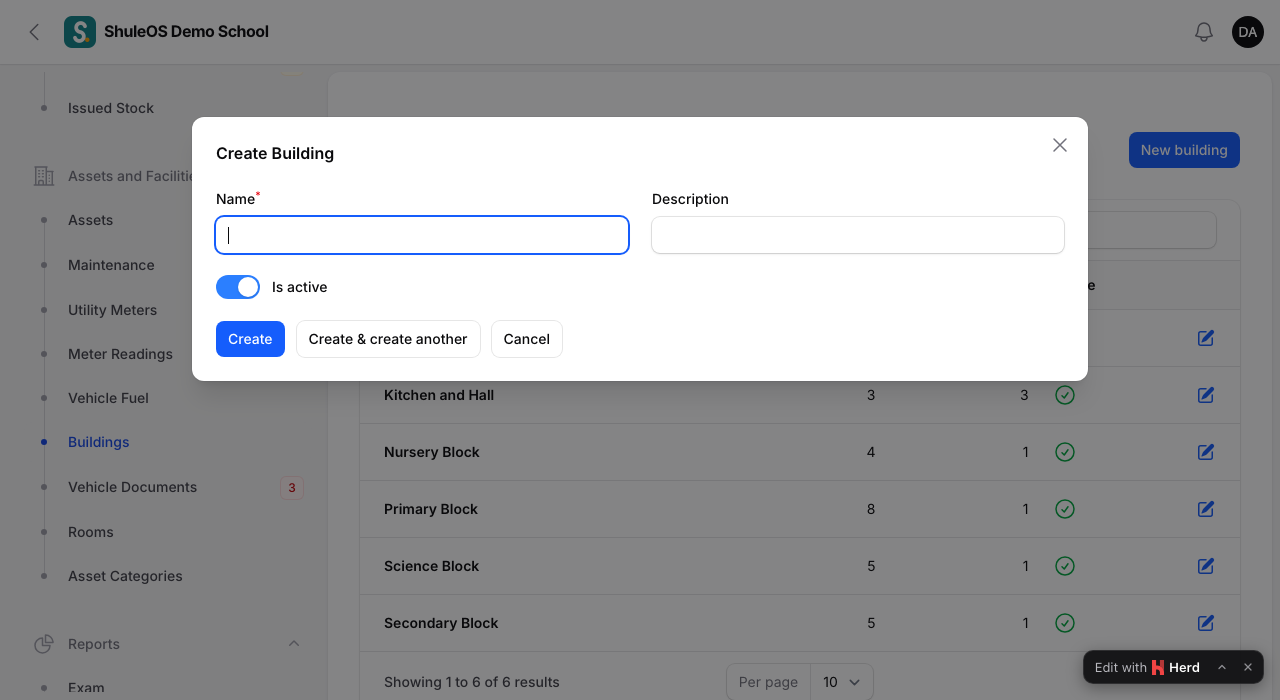
Assets and Facilities → Buildings lists the blocks of the school, for example Administration Block, Nursery Block, Primary Block, Secondary Block, Science Block and Kitchen and Hall.

Each row shows the Name, how many Rooms it has, how many utility Meters are in it, and whether it is Active.
Click New building, type the Name (it must be different from other buildings), add a Description if you like, and click Create.
Rooms
Assets and Facilities → Rooms lists every room.

The list shows the Name, Building, Type, Capacity, how many Assets are kept in it, and whether it is Active. Filter by Building and Type.
Click New room.
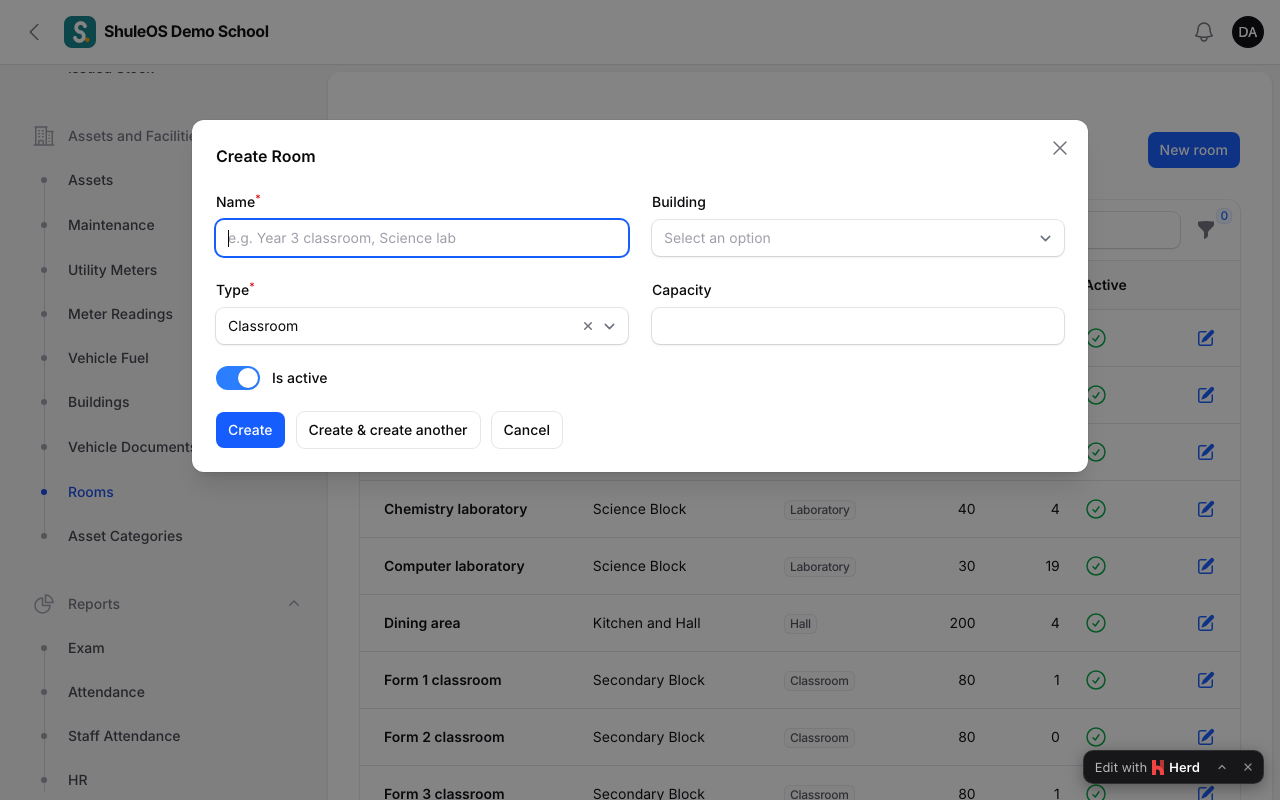
| Field | What to enter |
|---|---|
| Name | For example Form 1 classroom or Chemistry laboratory. Must be different from other rooms in the same building. |
| Building | Pick from your buildings. |
| Type | Classroom, Office, Laboratory, Hall, Library, Store, Kitchen, Dormitory, Toilets or Other. |
| Capacity | How many people it holds. Optional. |
| Is active | Off if the room is no longer used. |
Asset categories
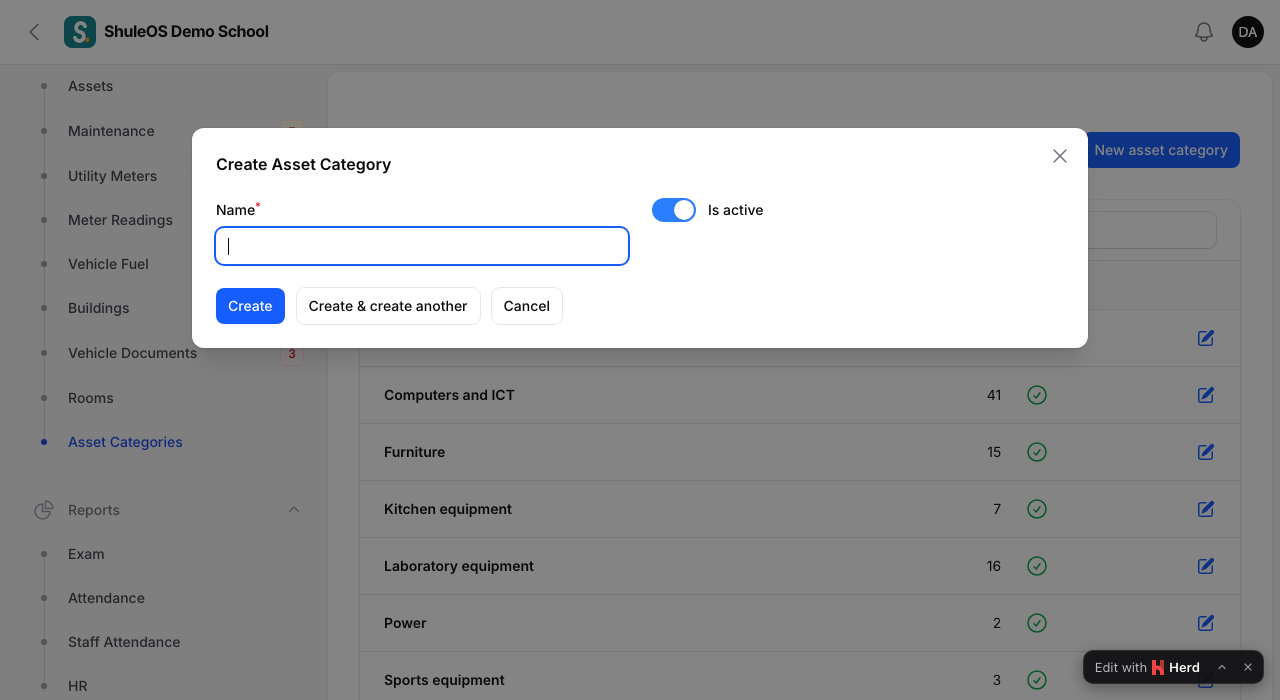
Assets and Facilities → Asset Categories groups assets, for example Furniture, Computers and ICT, Laboratory equipment, Kitchen equipment, Audio-visual, Sports equipment and Power. The asset report adds up by category.

Click New asset category, type the Name, and click Create.
If something goes wrong
| What you see | What it means and what to do |
|---|---|
| "This school already has …" | Names must be different. Search the list first. |
| A building or category is missing when adding a room or an asset | It is inactive. Make it active in its list. |
| You cannot delete a building, room or category | A building can be deleted only while it has no rooms or meters, a room only while nothing is kept in it and no problem was reported there, and a category only while no asset uses it. Make it inactive instead. |
Related guides
- The asset registerList what the school owns with a code, category, room, condition and cost; move assets between rooms and people; and retire or write off what is no longer in use.
- Maintenance requestsReport a problem with a room, an asset or a vehicle, follow it until it is fixed, and record what it cost.