
Control numbers
Keep the payment number each student's bank gives them, import it from a file, and see who is missing one.
Some banks give every student their own control number, which a parent quotes when paying at the bank or by mobile money. ShuleOS does not create these numbers. It stores the ones the bank gives you, and shows them where they help: on Collect Fees, on receipts and invoices, and in the parent portal.
Switch it on
Go to Fee Setup → Fee Settings and switch on Use control numbers. The Control Numbers page then appears in the Fees menu. Switched off, control numbers are hidden everywhere.
Add the numbers
One by one
Open the student (Students → Students → Edit) and fill in Control Number ("Issued by the school's bank, not generated here"). Each number must be different.
From a file
-
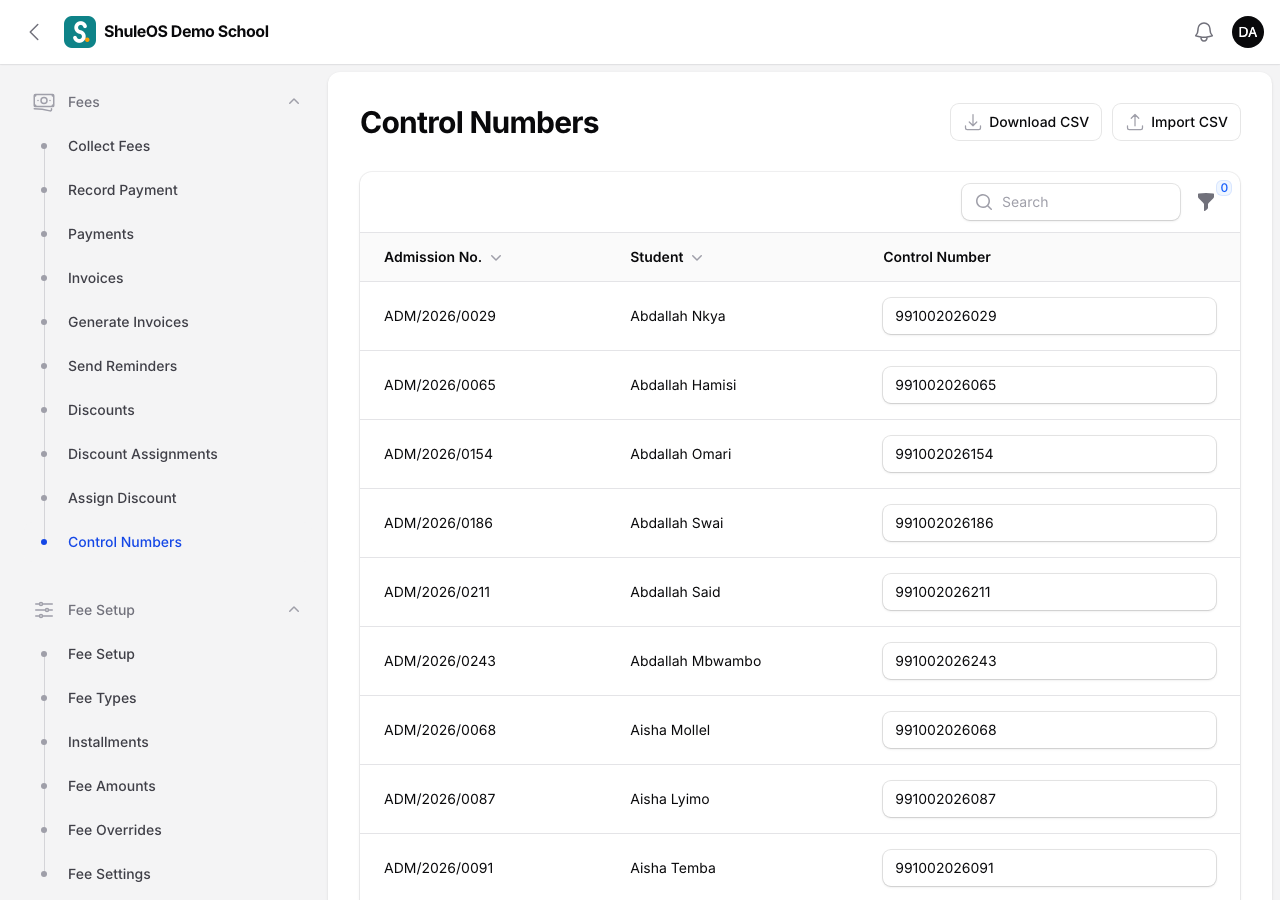
Open Fees → Control Numbers. You see every student's admission number, name and control number, and a filter for Has control number.
-
Click Download CSV to get the list of students.
-
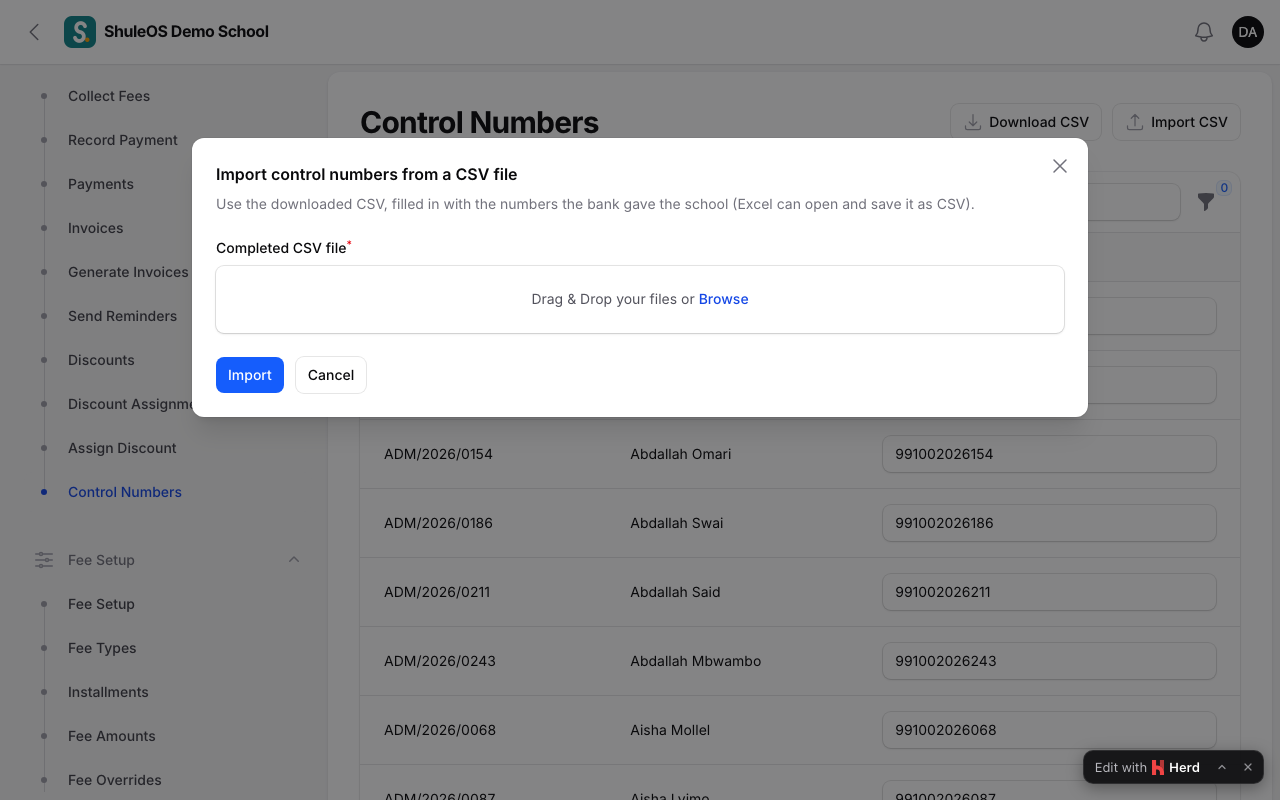
Fill in the numbers the bank gave the school (Excel can open and save it as CSV).
-
Click Import CSV and upload it. You see "Control numbers imported for 360 student(s)", and any problems listed.
If something goes wrong
| What you see | What it means |
|---|---|
| No control numbers were imported | Read the problems listed, fix the file and try again. |
| The page is missing | Use control numbers is off in Fee Settings. |
| A number is refused | Another student already has it. |
Related guides
- Fee settingsChoose the currency, how receipt numbers look, how parents are told to pay, whether your bank gives control numbers, and how payments and late joiners are handled.
- Collect fees, record payments and print receiptsFind a student, take a payment, see how it is shared across their invoices, print the receipt, and void a payment made by mistake.