
Fee overrides: exemptions and special amounts
Change what one student is charged for one fee: exempt them, give a different amount, or set the dates they owe from and until.
Checked on the ShuleOS demo school
Who: Bursar, school admin 5 min read
Fee Amounts sets one price for a whole class. A fee override changes the price for one student. Use it for a student who:
- owes nothing for a fee (exempt);
- pays a different amount than the class;
- joined part way through the year, or is leaving.
Add an override
-
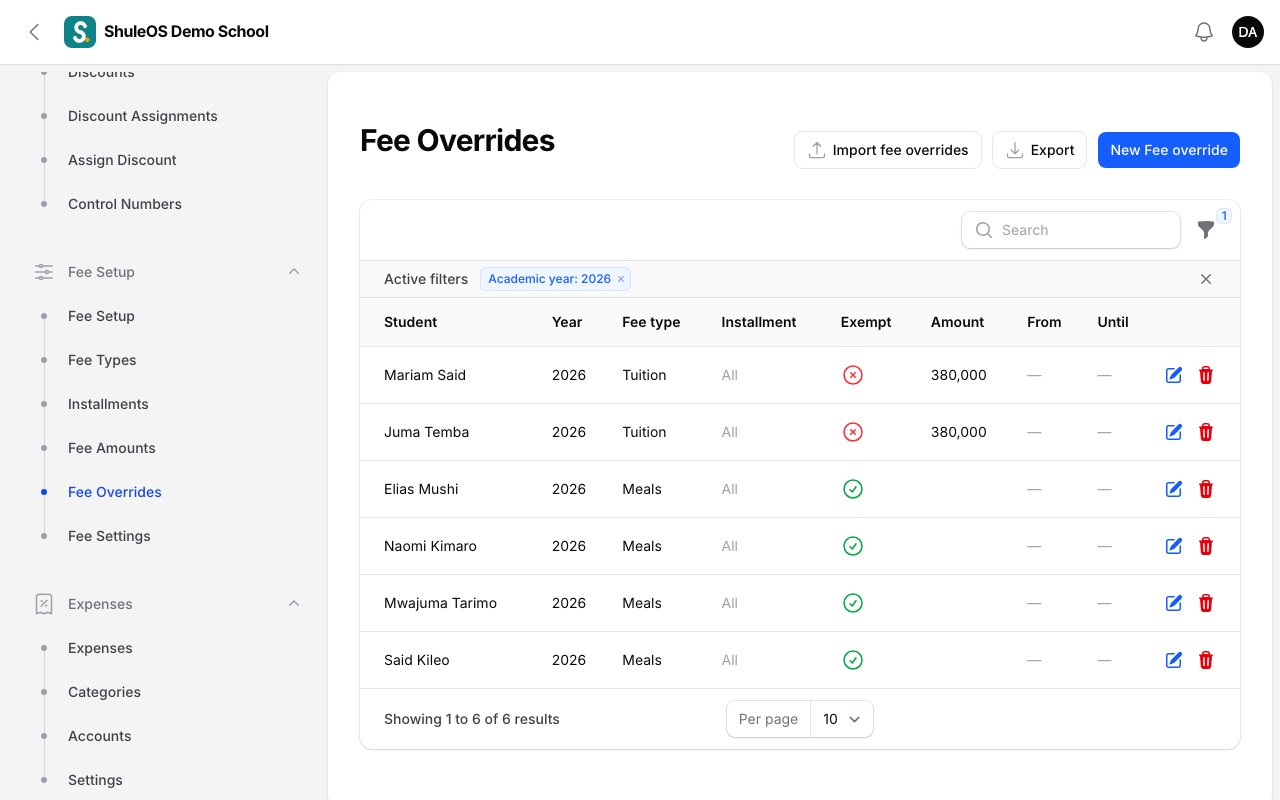
Open Fee Setup → Fee Overrides. The list shows each override with the student, year, fee type, installment, whether they are exempt, the amount and the dates.
-
Click New Fee override.
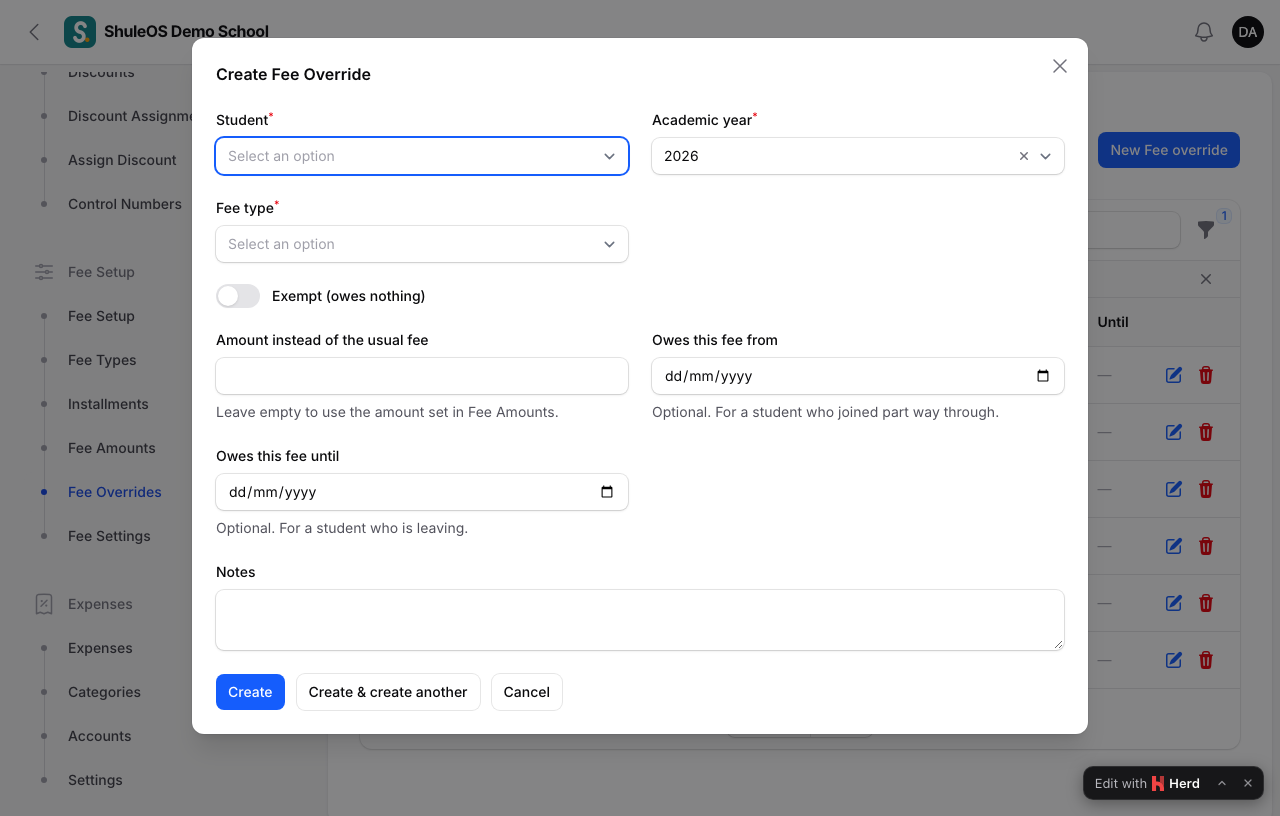
| Field | What to enter |
|---|---|
| Student | Search by name or admission number. |
| Academic year | The year it applies to. |
| Fee type | The fee that changes. |
| Installment | One installment, or all of them. |
| Exempt (owes nothing) | Switch on if the student pays nothing for this fee. |
| Amount instead of the usual fee | The exact amount this student is charged. Leave empty to use the amount from Fee Amounts. |
| Owes this fee from | Optional. For a student who joined part way through. |
| Owes this fee until | Optional. For a student who is leaving. |
- Click Create.
You can also open a student in Fees → Collect Fees and click Edit fee overrides. Import fee overrides loads many from a file.
How it is used
- An override with an amount always wins, including over a discount. It means "this exact amount for this student".
- The joining and leaving dates work by whole installments. A student who joined in Term 2 is not billed for Term 1, following the school's rule for late joiners (see Fee settings).
- Overrides count when invoices are generated. If the invoice already exists, void it and generate it again (see Generate invoices).
- In Generate Invoices you are told how many students had "nothing to charge (exempt or not liable)".
If something goes wrong
| What you see | What it means |
|---|---|
| The student is still billed the old amount | The invoice was made before the override. Void and regenerate it. |
| A joiner was left for manual invoicing | Your rule for late joiners is "Charge nothing until an administrator decides". Add an override or change the rule. |
Related guides
- Fee amountsSet how much each fee type costs for each class and installment, copy last year's amounts, and import them from a file.
- Discounts and scholarshipsCreate discounts (sibling, staff child, scholarship), give them to whole classes or single students, and see who has one.
- Generate invoices, and correct themBill a whole school or chosen classes for an installment or the year's one-off fees, look at invoices, void a wrong one, post adjustments and opening balances.