
Add and link parents
Register a parent or guardian, link them to their children, and change or remove the link.
A parent (also called a guardian) is someone linked to one or more students. One parent can be linked to several children, and one child can have several parents. Parents are what the parent portal, fee messages and report card notices are built on.
The easiest way
Add the parent while you add the student: open the student, click Edit, and use the Parents tab. See Add a student, step 3. Or add many at once with Import students.
Add a parent on their own
-
Open Students → Parents. The list shows every parent with their phone, their children and whether they have a portal login.

-
Click New Parent.
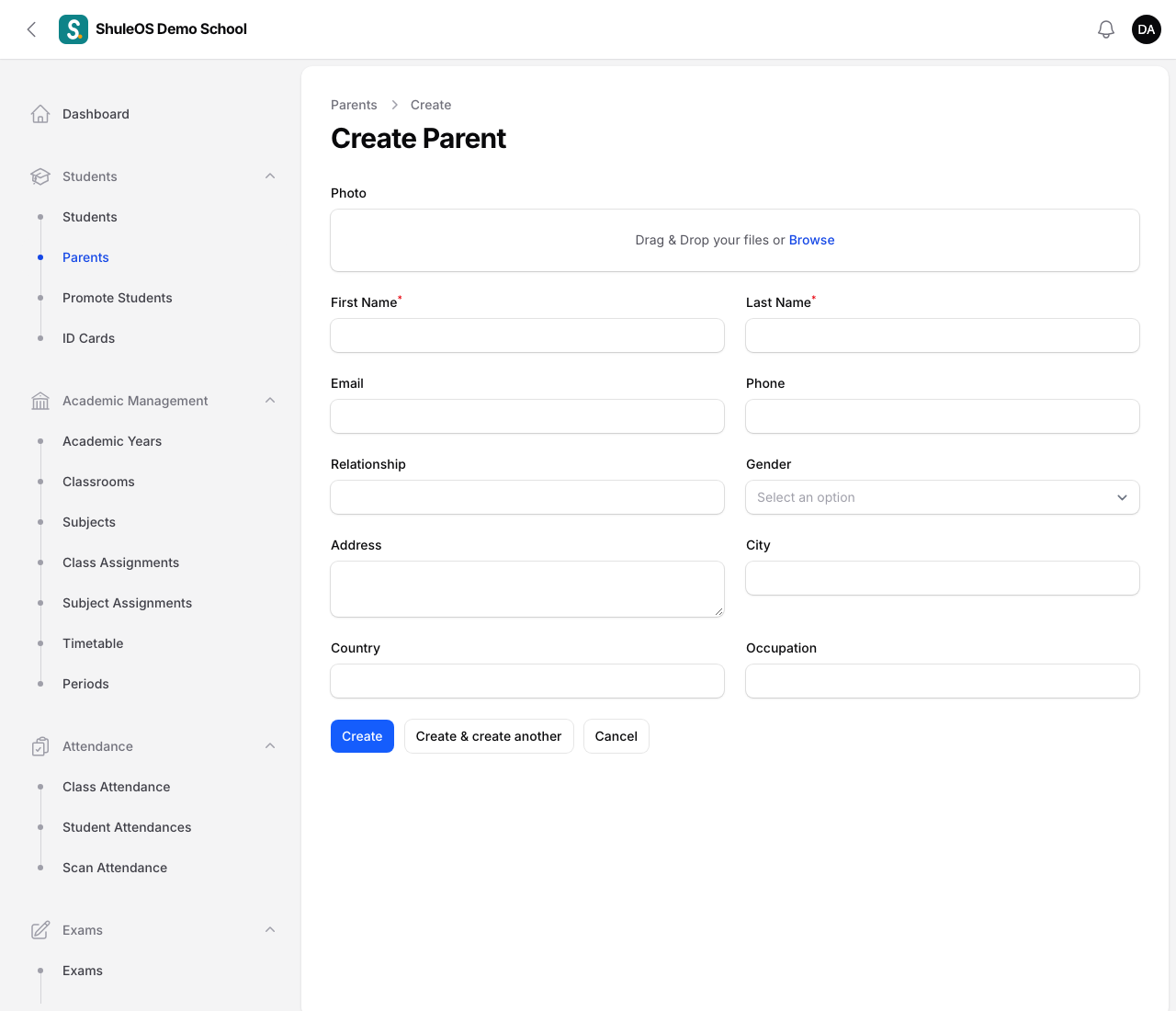
| Field | What to enter |
|---|---|
| Photo | Optional. |
| First Name, Last Name | Required. |
| Optional. A parent can sign in with their email. | |
| Phone | Strongly recommended. Parents sign in to the parent portal with their phone number, and it is how messages reach them. |
| Relationship | For example mother, father or guardian. |
| Gender, Address, City, Country, Occupation | Optional. |
- Click Create.
A parent with no children linked shows "No children linked". Link them next.
Link a parent to a child
- Open the student (Students → Students) and click Edit.
- Open the Parents tab.
- Click Attach and choose the parent. For a brand new parent, click New guardian instead.
To remove a link without deleting the parent, use Detach on their row.
Change or delete a parent
- Click the parent's row, then Edit, change the details and click Save changes.
- Delete removes the parent record. Their children stay. Do not delete a parent who should still sign in: detach them from a child instead if only one link is wrong.
One parent, many children
Do not create the same parent twice. Search for them first, then Attach the existing parent to the second child. A parent linked to two children sees both in the parent portal, and gets one login.
Find a parent
The Search box on the Parents list looks at the parent's name, email and phone, and also at their children's names and admission numbers. Typing a child's name finds that child's parents. Every word you type must match somewhere.
If something goes wrong
| What you see | What it means |
|---|---|
| A parent cannot sign in | Check their phone number is right, then see Parent logins and contacts. |
| "No children linked" | Attach the parent to a student from the student's Edit page. |
| The New Parent button is missing | Your role does not include adding parents. |