
Buy and receive stock
Record what you bought, receive it into stock, and optionally record the payment as an expense in one step.
A purchase is a record of what you bought from a supplier. Nothing goes into stock until you receive it. This lets you record an order when you place it, and receive it when the goods arrive.
The Purchases list
Stock → Purchases lists every purchase.
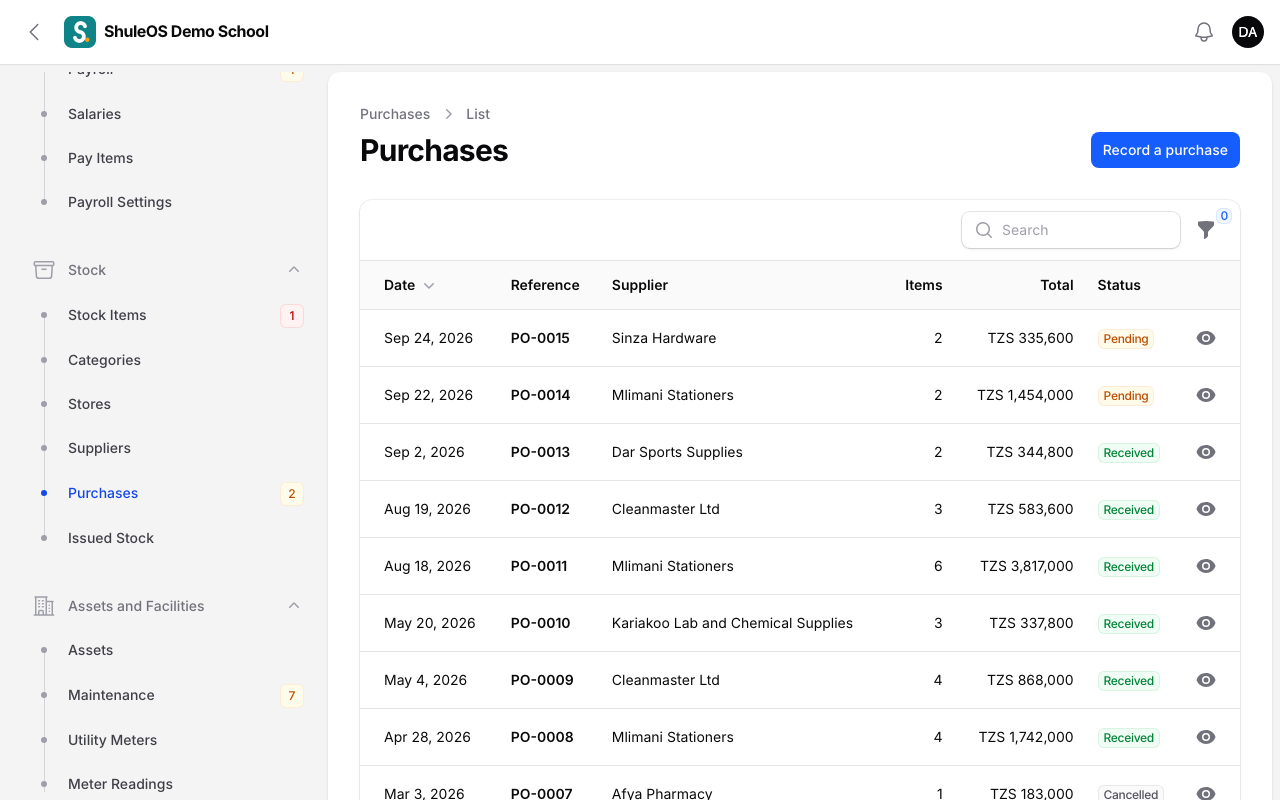
Each row shows the Date, Reference, Supplier, number of Items, Total and Status: Pending (recorded, not yet in stock), Received or Cancelled. Filter by Status or Supplier. A number beside Purchases in the menu counts the ones still pending.
Record a purchase
-
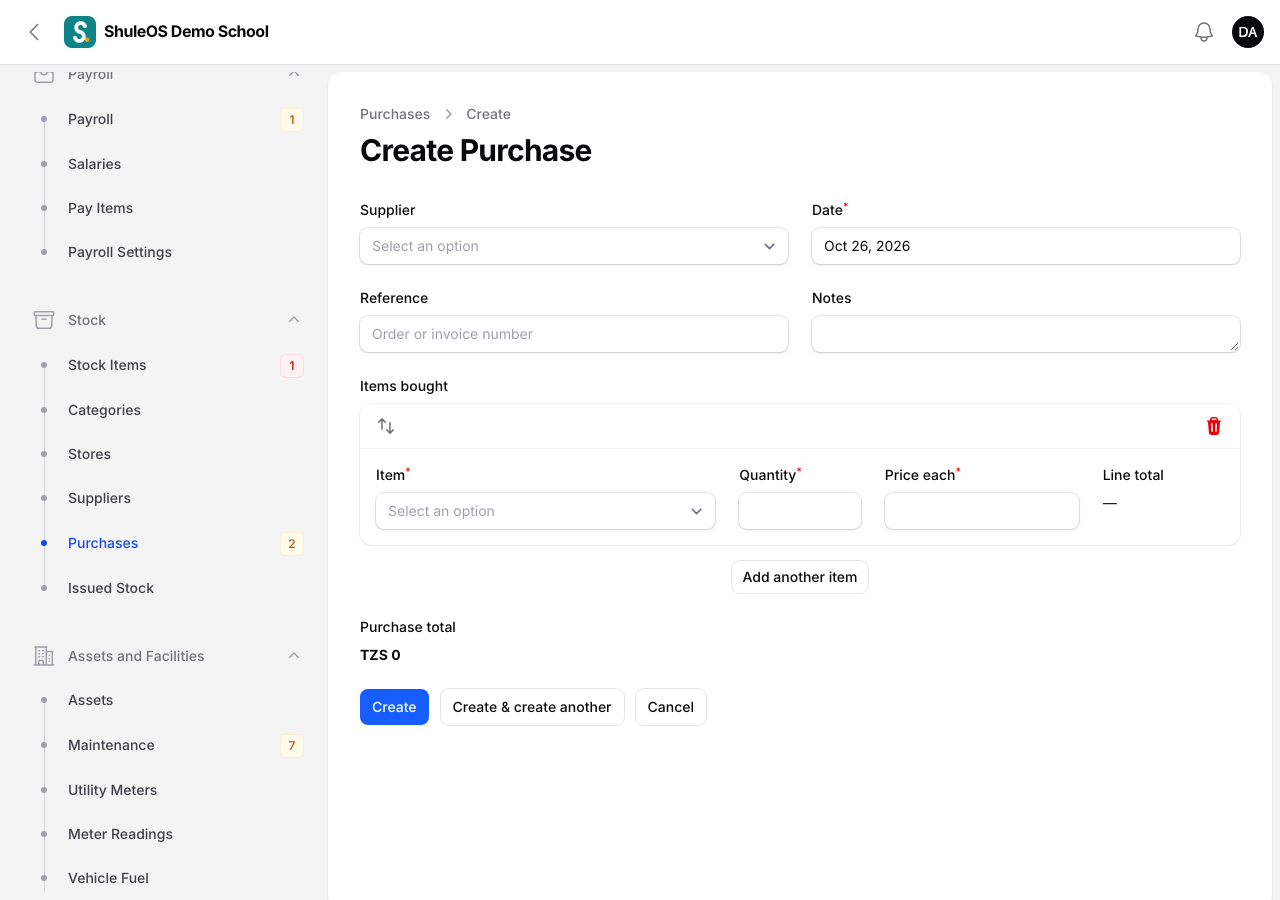
Click Record a purchase.
-
Fill in the form:
| Field | What to enter |
|---|---|
| Supplier | Optional. Pick from your list. |
| Date | Required. The day you bought it. Not in the future. |
| Reference | The order or invoice number. |
| Notes | Optional. |
| Items bought | One row per item: the Item, the Quantity and the Price each. The row's total and the Purchase total update as you type. Click Add another item for more rows. |
- Click Create. The purchase is saved as Pending.
Receive it into stock
When the goods arrive:
-
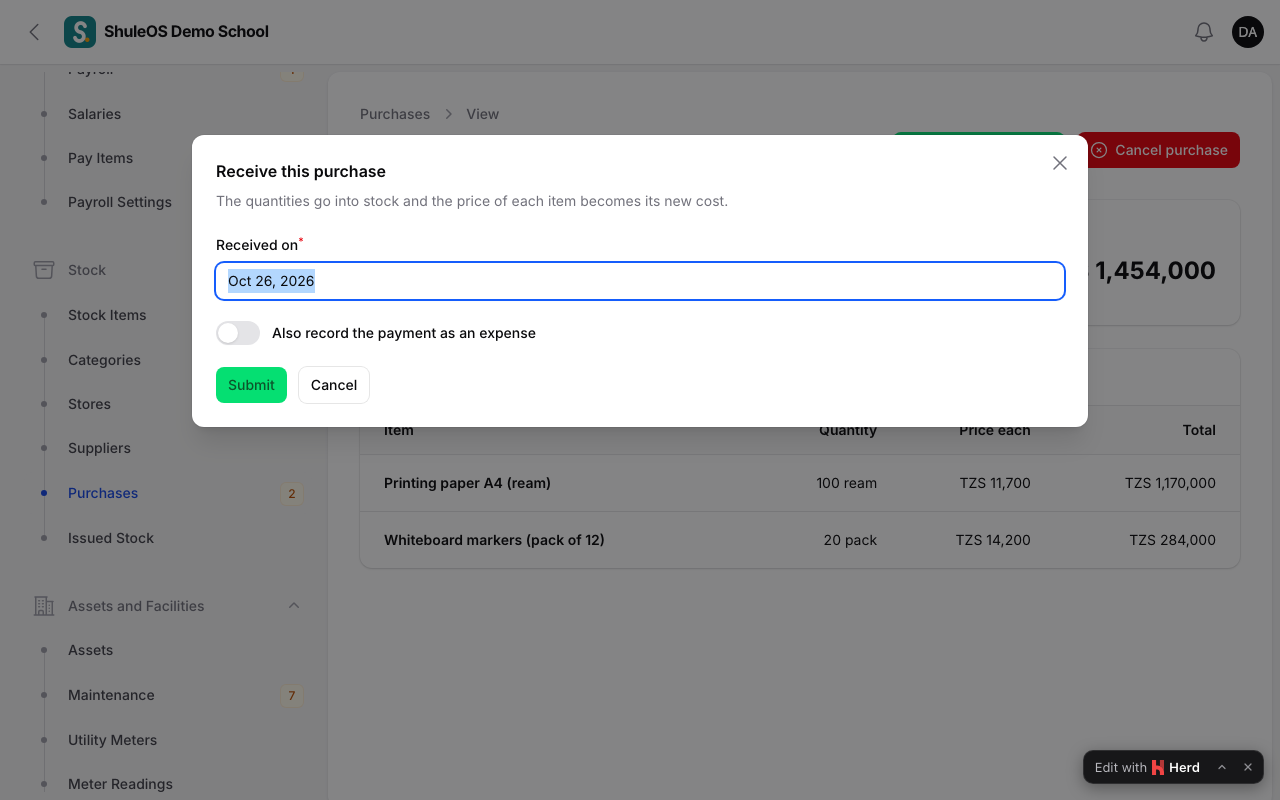
Open the purchase and click Receive into stock.
-
Enter the date Received on.
-
Optionally switch on Also record the payment as an expense, choose the account it was Paid from and the Method. ShuleOS then records one expense for the purchase total under Supplies and stock, approved straight away, and takes it from that account (see Record expenses).
-
Confirm.
What happens: every quantity goes into stock, and each item's Cost of one becomes the price you paid. A purchase can be received only once.
Cancel a purchase
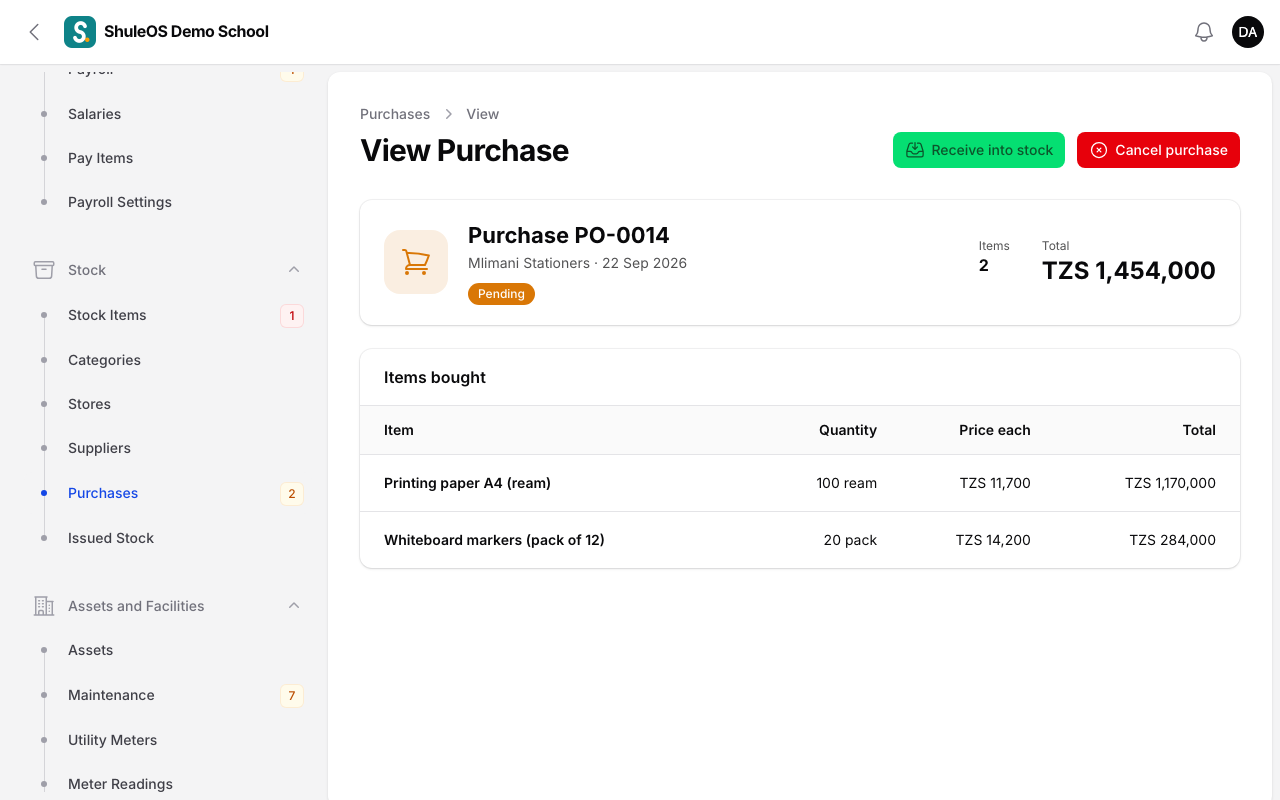
If the order was never delivered, open it and click Cancel purchase. Nothing was added to stock. The purchase stays on record, marked Cancelled.
If something goes wrong
| What you see | What it means and what to do |
|---|---|
| "Only a pending purchase can be received." | It has already been received or cancelled. |
| Receive into stock is missing | The purchase is not pending, or your role cannot manage stock. |
| An item is missing from the purchase form | It is inactive. Make it active in Stock Items. |
| You recorded the payment twice | Receiving with the payment switched on already records the expense. Do not also record it under Expenses. |
Related guides
- Stock setup: stores, suppliers, categories and itemsSet up the places stock is kept, the shops you buy from, the groups of items, and the items themselves, with their reorder level and opening quantity.
- Issue stock and take it backHand supplies to staff, a class or a department, mark what must come back, and record returns.
- Record expenses, approve and cancel themRecord what the school spends, choose the account it is paid from, approve or reject it if approval is on, and cancel a mistake.