
Report a problem
Tell the office about something broken, such as a window, a projector or a tap, and follow it until it is fixed.
Checked on the ShuleOS demo school
Who: Every teacher 2 min read
Report a Problem sends a maintenance request to the school office, so that a broken thing is fixed and someone is responsible for it.
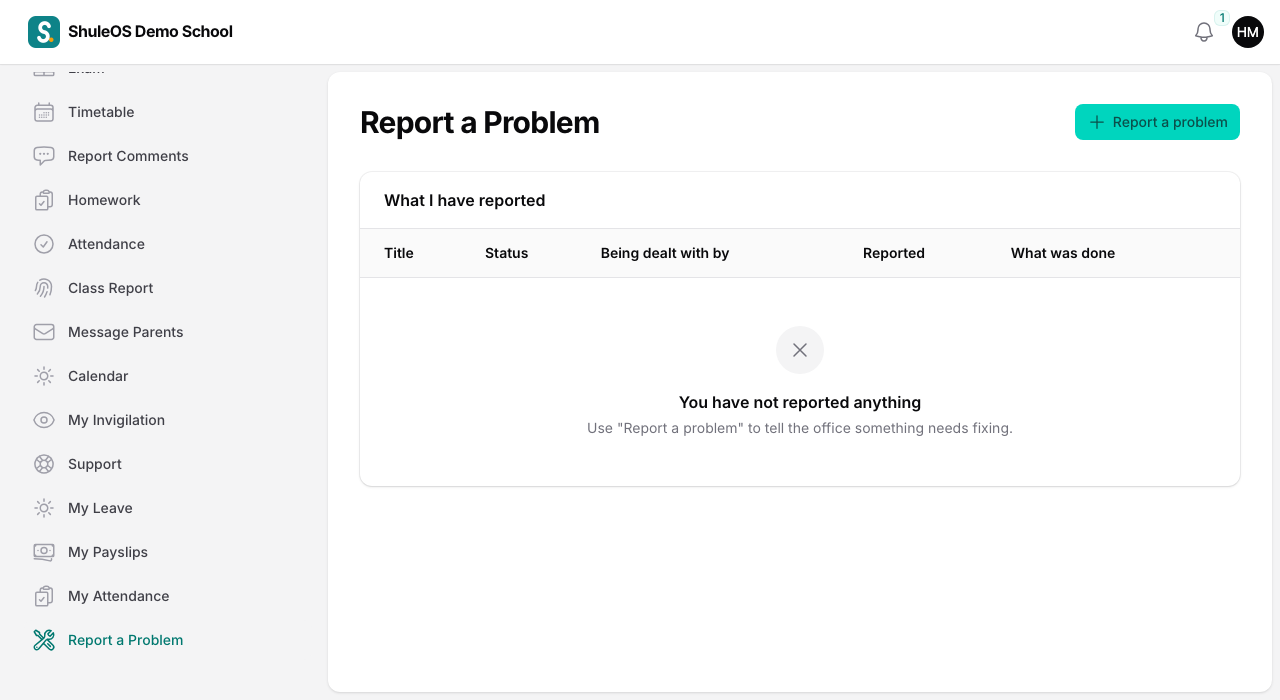
Report a problem
-
Click Report a problem.
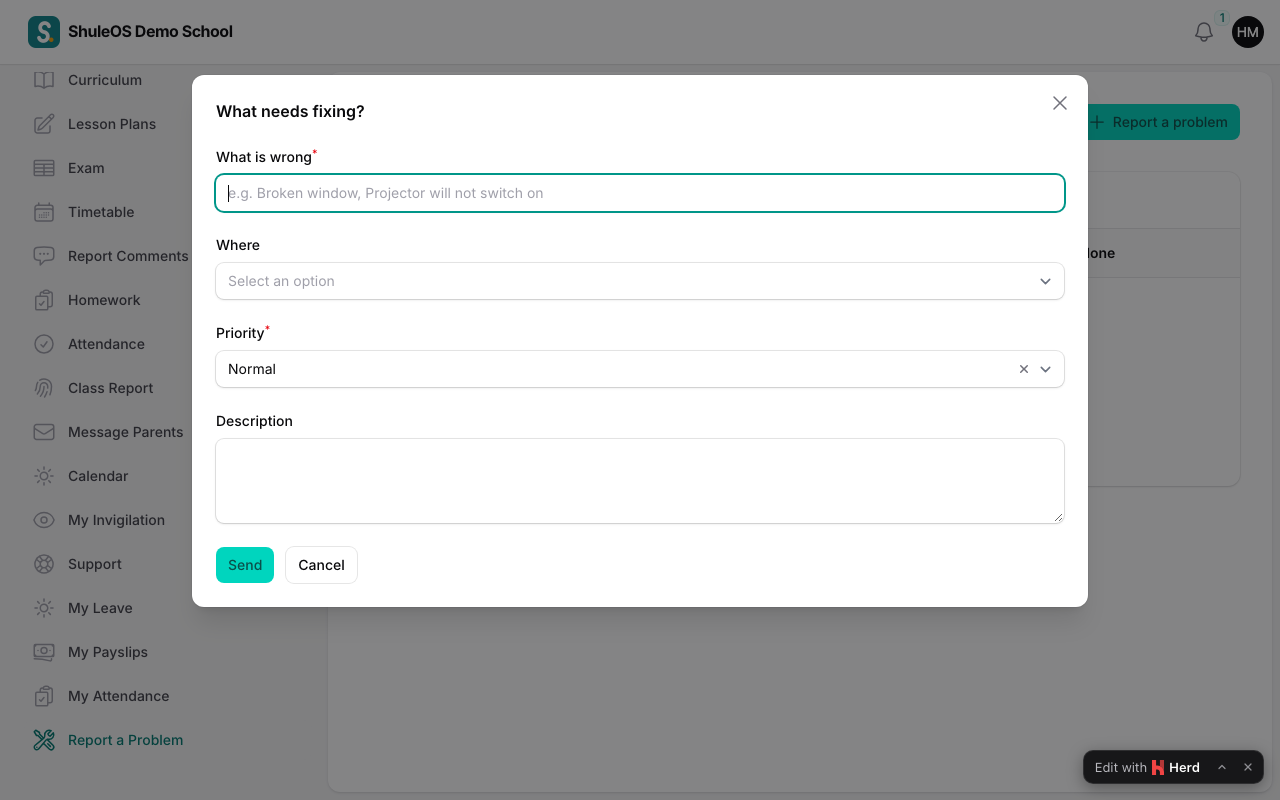
-
Fill in the window:
| Field | What to enter |
|---|---|
| What is wrong | Required. For example "Broken window" or "Projector will not switch on". |
| Where | The room. |
| Priority | Low, Normal (the default), High or Urgent. Use Urgent only for something dangerous or that stops teaching. |
| Description | More detail, if useful. |
- Click Send. The report goes to the office as Open.
Follow it up
The page lists What I have reported, with the Title, Status, Being dealt with by, when you reported it, and What was done. The status moves from Open to In progress when someone takes it on, and to Done when it is fixed.
The office sees the report under Assets and Facilities → Maintenance (see the School Admin manual, "Maintenance requests").
If something goes wrong
| What you see | What it means and what to do |
|---|---|
| Report a Problem is missing | The school has switched it off, or its package does not include it. |
| The room you need is not in the list | The office has not added it. Write where it is in the description. |
| A report stays Open for a long time | Tell the office in person, or report again with High priority. |