
My payslips and my attendance
See and print your own payslips, and check your own staff attendance record.
My Payslips
My Payslips lists your payslips, one for each month the school has approved payroll.
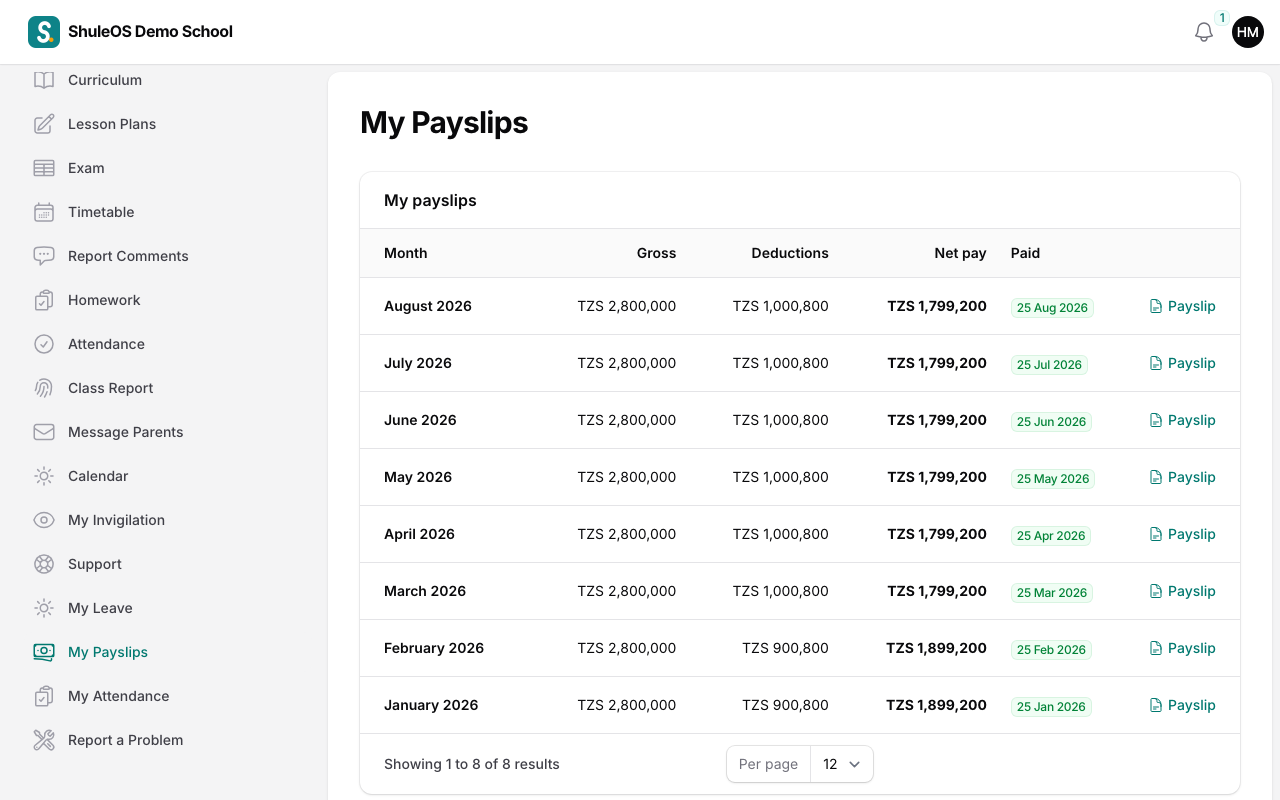
Each row shows the Month, your Gross pay, your Deductions and your Net pay, and the date it was Paid. Click Payslip to open it.
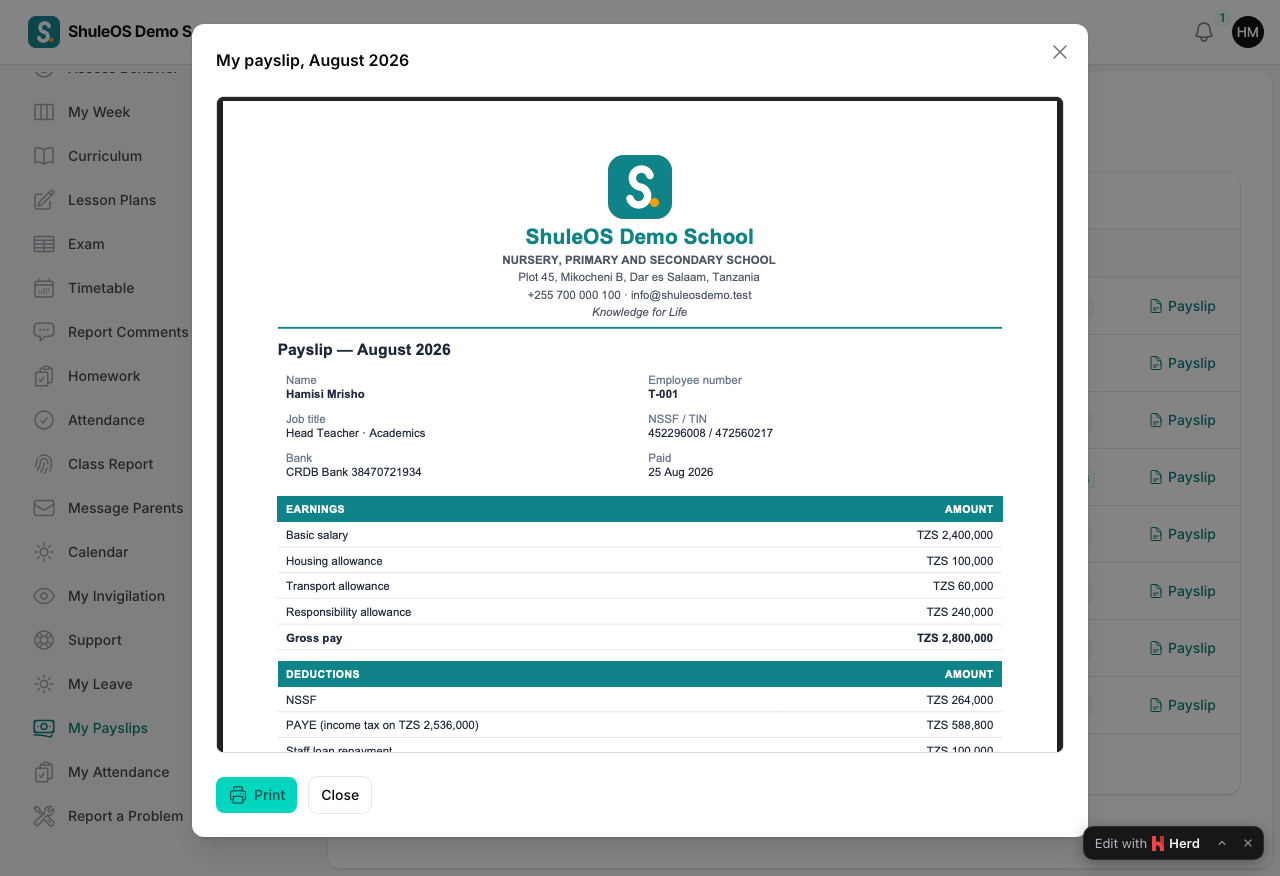
The payslip shows your earnings (your basic salary and allowances), then your deductions (NSSF, PAYE, and others such as union dues or a loan), and your net pay. Print it for your records or for a bank.
Only you, and the people who run payroll, can see your payslips. If a figure looks wrong, ask the office. Payslips appear only after the payroll for that month is approved.
My Attendance
My Attendance shows your own staff attendance: the Date, your Status (present, late, absent, half day or on leave), your time In and Out, and any remark.
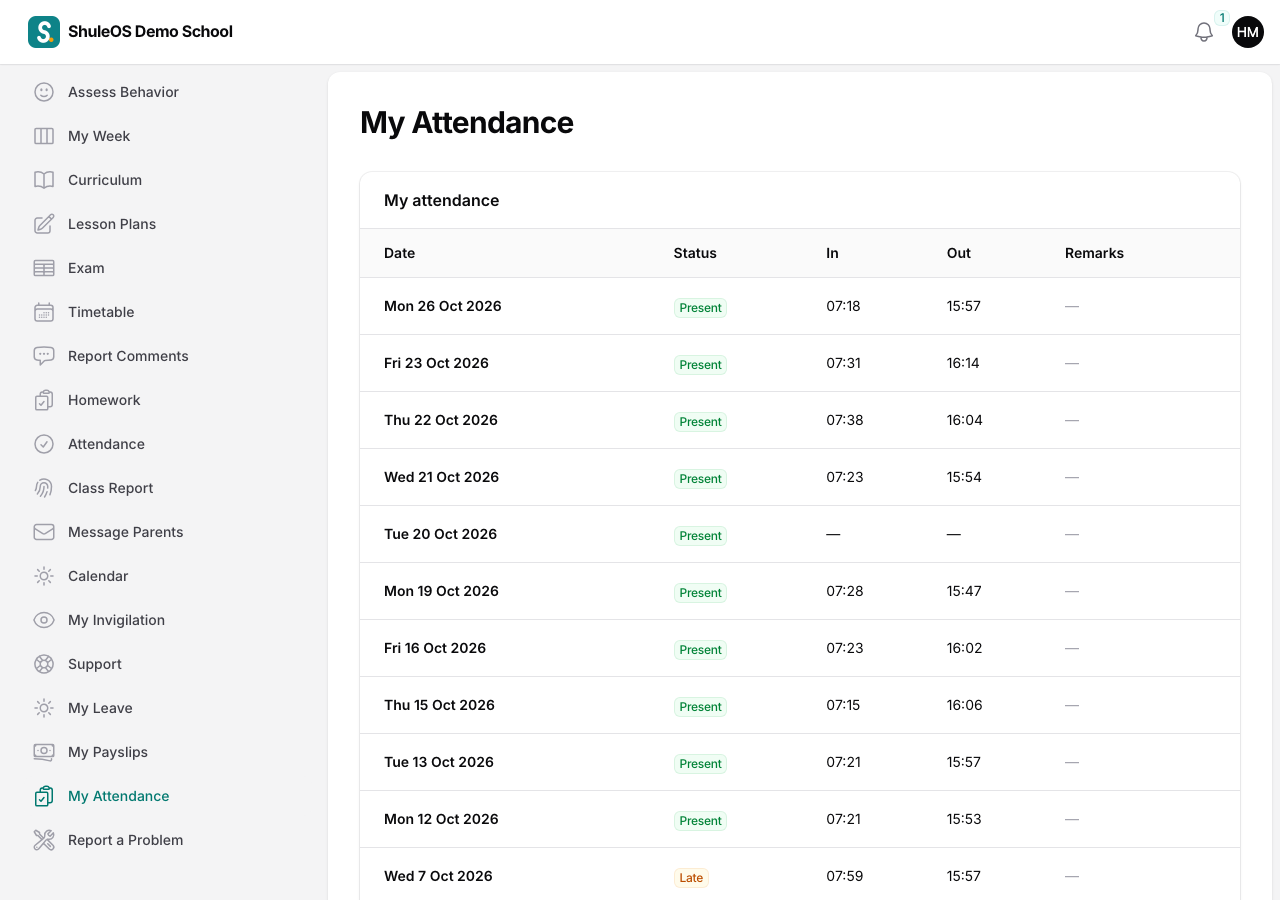
Your attendance is recorded by the school office, or by you at the staff check-in desk with your PIN. Leave that was approved shows as On leave without anyone entering it. If your record is wrong, tell the office so it can be corrected.
If something goes wrong
| What you see | What it means and what to do |
|---|---|
| My Payslips or My Attendance is missing | The school has switched it off, or your login is not linked to your staff record. |
| A month is missing from the payslips | Payroll for that month is not yet approved. |
| You are marked absent but you came | Tell the office, who can correct it. |